AI can turn your trip preferences into a first-draft weekend itinerary, but it cannot reliably confirm what is open, what is reserved, or what roads look like right now. Give it your dates, starting area, travel pace, budget, and must-do activities. Ask it to label estimates and unknowns, then verify hours, closures, weather, fees, and reservations with official sources before you leave.
Give the planner real limits
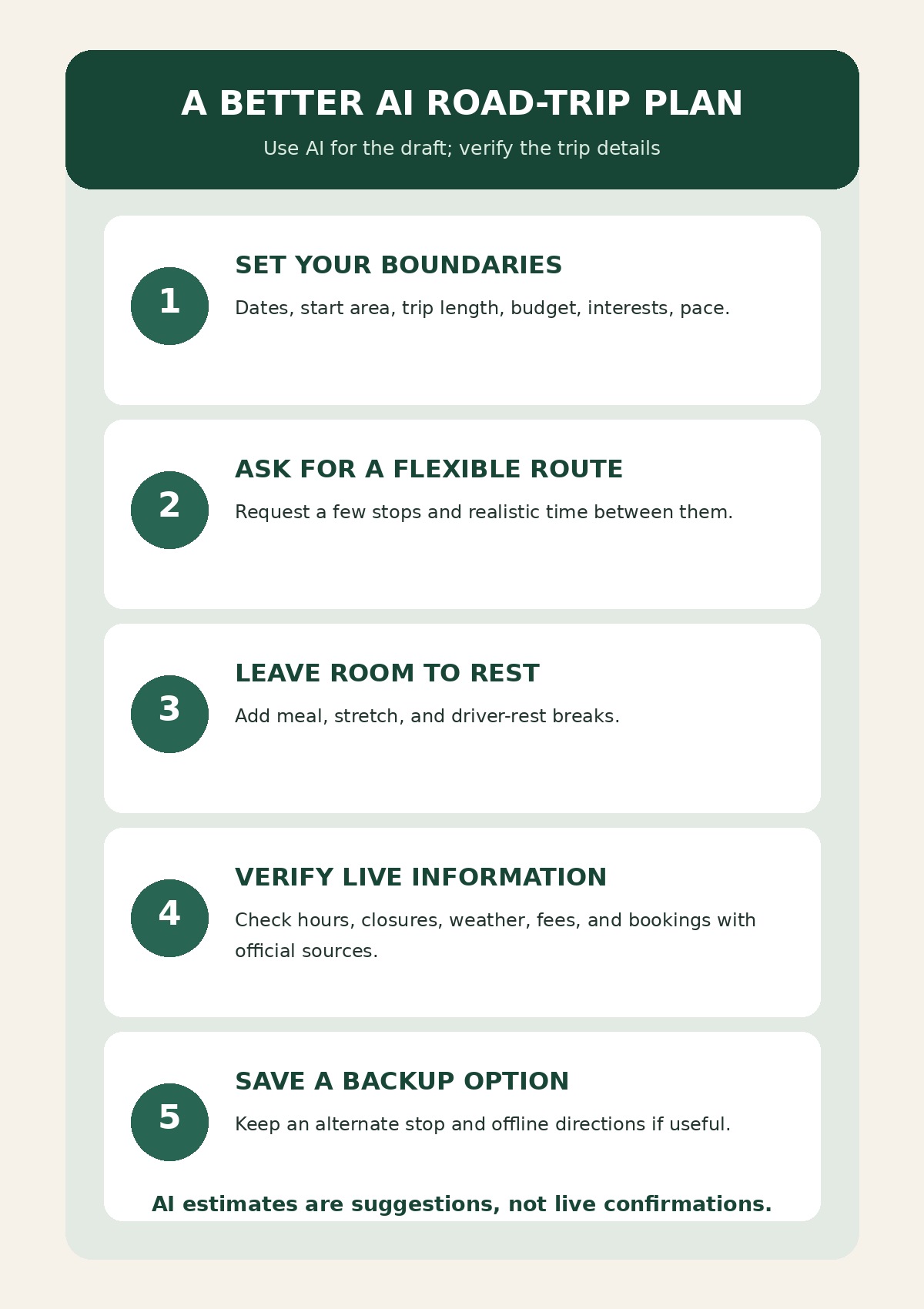
Start with the shape of the weekend, not a list of attractions. Note the date range, approximate starting city or region, number of travelers, preferred driving pace, spending limit, and when you need to be home. Add accessibility needs or activities you want to include. A rough starting area is usually enough; do not paste your exact home address when a city or neighborhood will do.
Choose one main activity for each day and leave open time around it. A short weekend can feel crowded if an AI fills every hour with stops. Ask for a relaxed version and a rainy-day or closure alternative instead of trying to visit everything.
Copy-and-paste prompt for a weekend road trip
Replace the brackets with your own details. If you have not chosen a destination, ask for a few options and the trade-offs instead of treating the first suggestion as the answer.
Help me draft a realistic weekend road-trip plan.
Dates: [dates or month]. Starting area: [city or region, not my exact home address]. Travelers: [number and general needs]. Total trip budget: [amount or range].
We like: [activities, scenery, food, museums, outdoor time]. Avoid: [long hikes, late nights, crowded stops, or other limits]. Preferred pace: [relaxed, moderate, or active]. I need to be back by: [time or day].
Suggest one main activity per day, a sensible route order, approximate drive-time ranges, meal or rest breaks, and one backup idea. Do not claim current opening hours, road conditions, prices, availability, or reservations. Mark anything that needs checking and tell me which official website or agency to check. Do not invent addresses, fees, or booking confirmations. If my limits do not fit the route, explain the conflict and offer a simpler option.
The request makes the itinerary easier to review because it separates planning ideas from live facts. If the answer gives exact times or prices without a verifiable source, treat them as estimates and check them independently.
Turn the draft into a weekend you can actually follow
For example, a relaxed two-night plan might have a short Friday drive and check-in, one anchor activity on Saturday, and one optional stop on Sunday before heading home. Ask the AI to show which parts depend on travel time or a reservation. Remove any stop that makes the day feel rushed, then confirm the route and timing in a current map or navigation service.
Keep a small buffer for traffic, parking, meals, and check-in. The itinerary does not need to predict every delay; it should make the important choices visible and leave you room to adjust. Save the final addresses and confirmations somewhere you can access on the trip, and keep an alternate stop in case a venue is closed.
Verify the details AI cannot keep current
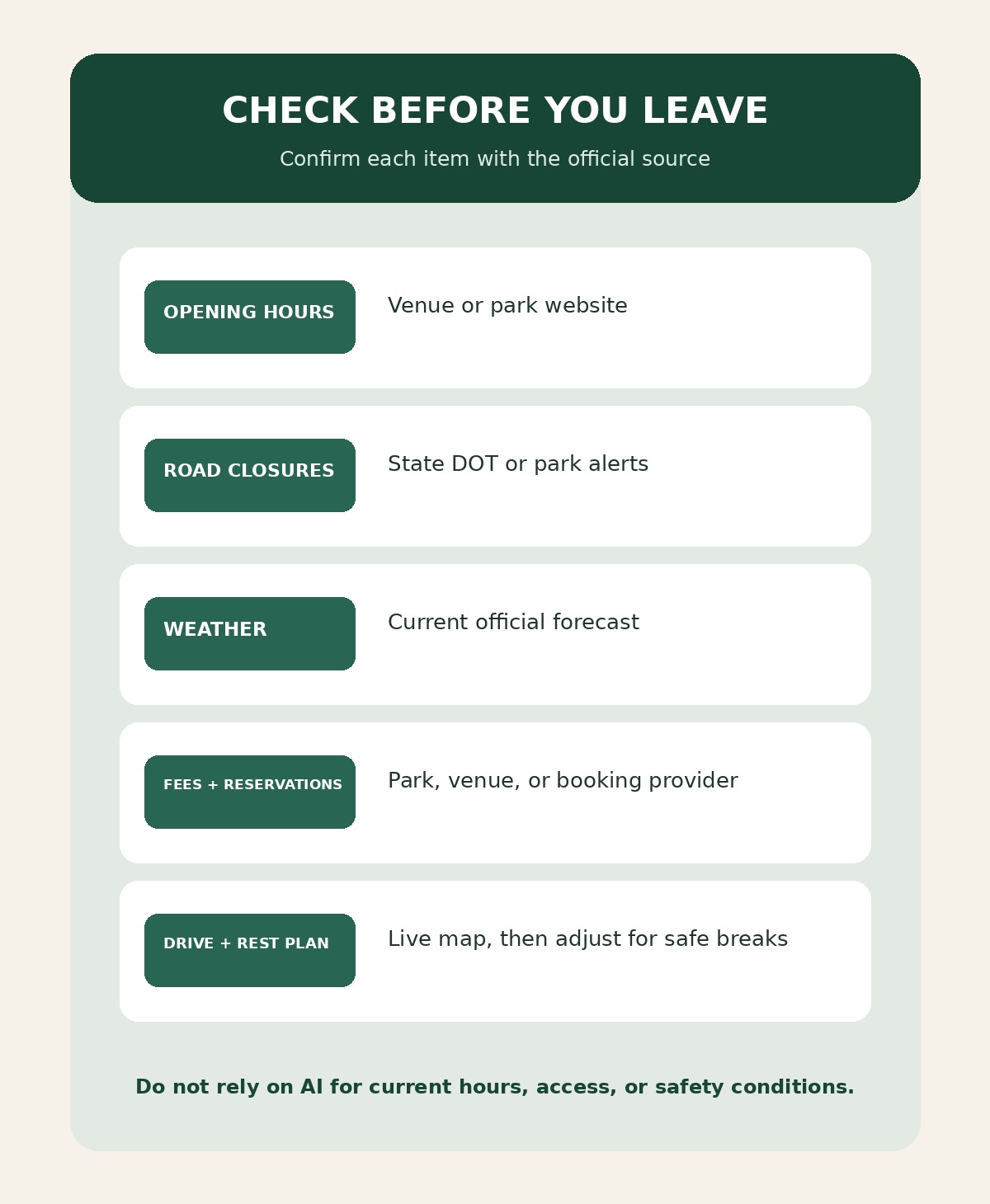
- Hours and access: Check the venue or park’s current official visitor page.
- Closures and alerts: Review the park website or the relevant state transportation department for updates.
- Weather and traffic: Check a current forecast and live route information close to departure.
- Fees and reservations: Confirm directly with the venue, park, or booking provider. A suggestion from AI is not a reservation.
- Driving pace: Make time for breaks and change the plan if the driver feels tired.
The National Park Service directs visitors to NPS.gov, park websites, and the NPS App for trip-planning information, operational updates, and reservations. NHTSA advises drivers to check weather, road conditions, and traffic; review maps before leaving; allow enough time; and plan stops on longer trips. These are the kinds of details to verify outside an AI chat because they can change after a draft is written.
A five-minute final review
- Does the route fit the time you actually have?
- Are opening hours, closures, fees, and bookings confirmed by the official source?
- Have you left room for meals, parking, and rest?
- Can you find the final addresses and confirmations without reopening the AI chat?
- Is there an easy backup if weather or access changes?
AI is most useful here as a planning partner: it can sort preferences, propose an order, and reveal gaps to check. You choose the destination and confirm every detail that affects the trip.
Sources and further reading
- National Park Service: National Park System Operating Status — trip-planning information, operational updates, reservations, and park alerts.
- NHTSA: Summer Driving Tips — route checks, maps, enough travel time, and planning stops for longer drives.
- Recreation.gov: Reservation Policies — review the rules for the specific federal recreation facility you plan to book.
Sources checked: October 8, 2026. Park operations, road conditions, prices, and reservations can change; check the responsible official source close to departure.
Leave a comment